PSiRA Renewal 2026 | Process, Requirements, Fees & Download
PSiRA Renewal is a topic that comes up regularly in conversations with security professionals, and the same concerns are raised repeatedly. Many applicants are confused about renewal requirements, supporting documents, processing times, and what happens if their registration has already expired. To make the process easier, this guide brings together the official requirements and practical guidance you need to renew your PSiRA registration correctly and avoid common delays.
What is WWW PSiRA Renewal?
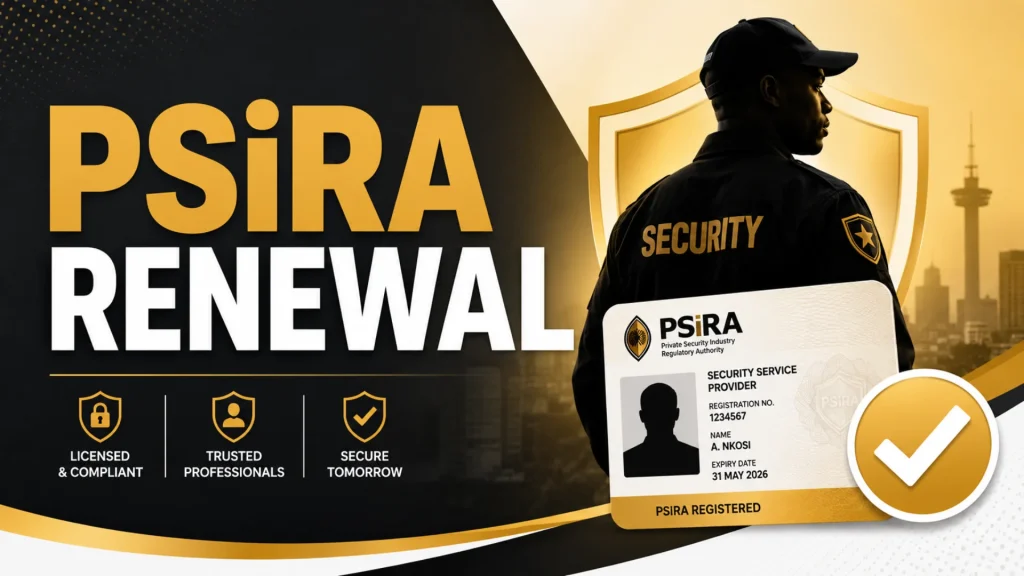
PSiRA renewal is the process of renewing your registration with the Private Security Industry Regulatory Authority (PSiRA) to keep your security status active and legally valid in South Africa. Security officers and registered security businesses are required to renew their registration, usually every two years, to remain compliant with PSiRA regulations and continue operating without interruption. Keeping your registration up to date helps you avoid penalties and ensures you can legally work in the private security industry.
Why PSiRA Renewal Is Important
Here are the main reasons why PSiRA renewal is important:
- Maintains your legal registration with PSiRA.
- Helps you remain eligible to work in the private security industry.
- Prevents problems caused by an expired PSiRA certificate.
- Ensures your registration details remain current and valid.
- Required by many employers before hiring or renewing contracts.
- Supports compliance with South African private security regulations.
- Makes it easier to verify your registration status when requested.
PSiRA Renewal Process Online 2026
Renewing PSiRA is simple when you know the correct and latest steps. Just follow the steps provided below.
- Visit the official PSiRA website and open the PSiRA mobile app.
- Login to your account by using your “Username” and “Password.”
- Click on “Service Request” from the list.
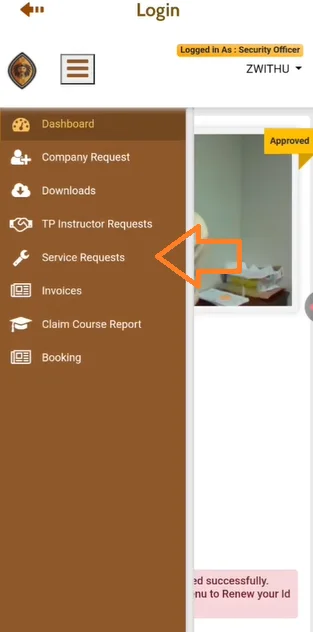
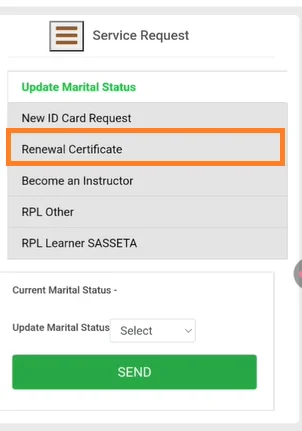
- Click on “Renewal Certificate” and then click on “Pay Now.”
- Carefully read and accept the Terms & Conditions.
- Select your preferred payment method, such as Credit/Debit Card, Bank Payment, or Coupon.
Note: If you choose Credit/Debit Card, select your card Brand.
- Enter your Card Number, Expiry Date, Cardholder Name, and CVV in the required fields.
- Review your payment details, then click the “Pay Now” button to complete the transaction.
- You will receive a One-Time Password (OTP) via SMS on your registered mobile number. Enter the OTP in the required field, then click the “Submit” button to complete your PSiRA renewal process.
PSiRA Renewal Online Booking Online
The PSiRA renewal online booking online is simple and can be done in a few correct steps.
- Visit the official PSiRA website.
- Login to your account.
- Go to the “Service Request” tab and click on “New ID Card Request.“
- Then select “Renewal” and tap on “Book Appointment for ID Card Collection.”
- Follow the next steps and book your appointment.
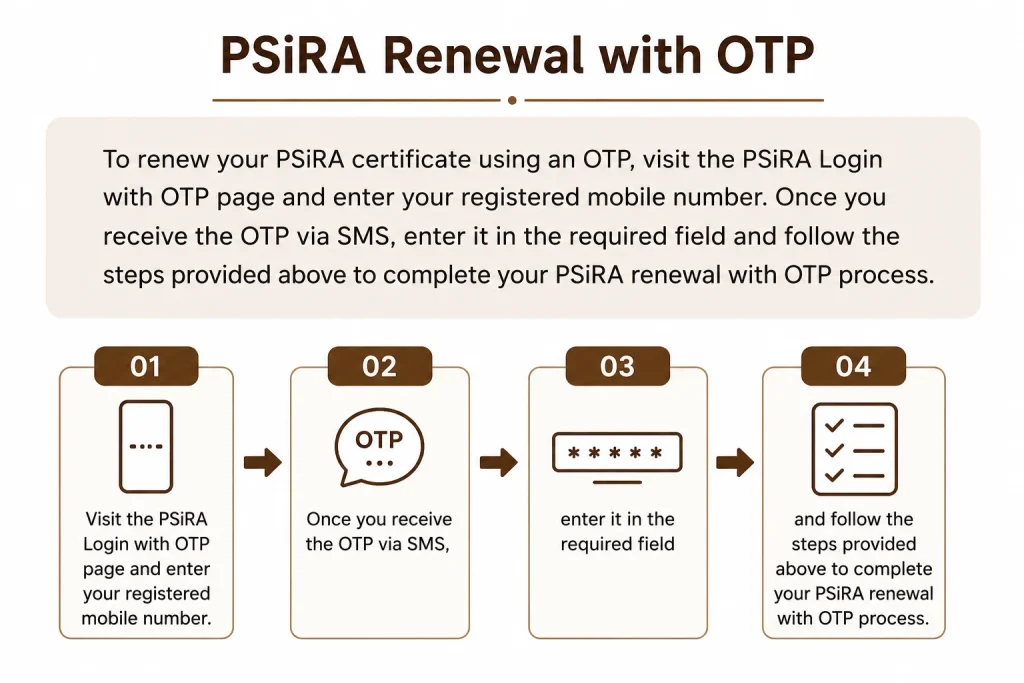
PSiRA Renewal with OTP
To renew your PSiRA certificate using an OTP, visit the PSiRA Login with OTP page and enter your registered mobile number. Once you receive the OTP via SMS, enter it in the required field and follow the steps provided above to complete your PSiRA renewal with OTP process.
PSiRA Renewal Price 2026
The PSiRA renewal fee for an individual certificate is R75, while the annual fee is R115. If you need an ink-printed certificate, an additional R75 applies, and a new PSiRA ID card costs R130. For security companies, the business registration/renewal fee is R9,100.
How Long Does PSiRA Renewal Take
A PSiRA certificate renewal is typically processed instantly when completed online. However, if you apply for a physical PSiRA card, it may take 3 to 4 weeks for printing, approval, and delivery.
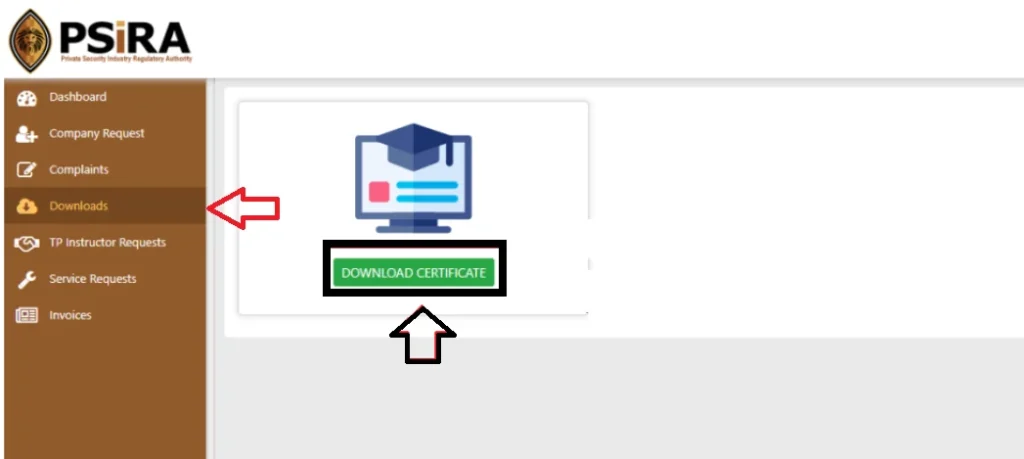
How to Download PSiRA Certificate After Renewal
- Visit the official PSiRA website and log in to your account.
- Click on “Downloads” from the service list.
- Click the “Download Certificate.”
Do I Have to Book for PSiRA Renewal
If you complete your PSiRA renewal online, you do not need to book an appointment. However, if you plan to visit a PSiRA branch to renew your registration or collect a physical certificate, you must book an appointment in advance.
Can You Renew PSiRA Without an OTP?
Yes, you can renew your Private Security Industry Regulatory Authority (PSiRA) certificate without using a mobile One-Time Password (OTP) if you choose an alternative verification method. You can receive the verification code through your registered email address or log in to your PSiRA account using your password to complete the renewal process.
Tips for a Successful PSiRA Renewal
- Renew your PSiRA certificate before it expires.
- Keep your registered mobile number active for OTP verification.
- Ensure all personal details are accurate and up to date.
- Clear any outstanding annual fees before renewing.
- Use a stable internet connection for online renewal.
- Save or print your renewal confirmation for future reference.
- Carry all required documents if visiting a PSiRA office.
- Regularly check your renewal status until it is approved.
Frequently Asked Questions
Conclusion
Keeping your PSiRA registration active is essential for maintaining legal employment in South Africa’s private security industry. By following the correct renewal process, preparing the required documents, and renewing before your certificate expires, you can avoid unnecessary delays and continue working without interruption. Always verify updates through official PSiRA channels.

zukiswa wanner 
I'm Zukiswa Wanner, the administrator of PSiRA Verification. I share accurate, practical guidance on PSiRA registration, verification, renewals, and compliance to help South Africans confidently access trusted information.